
1. Introduction
SC APC connectors are a critical component in modern fiber optic networks, especially where low insertion loss and high return loss are mandatory—such as FTTH (Fiber to the Home), data centers, passive optical networks (PON), and telecommunication backbones.
This guide walks you through:
- What an SC APC connector is
- Where and why it’s used
- Tools and materials required
- A detailed step-by-step termination procedure
- Best practices, troubleshooting tips, and testing methods
The goal is to provide a practical, field-ready reference that helps technicians, engineers, and installers achieve reliable, repeatable terminations that meet today’s performance standards.
2. Understanding SC APC Connectors
2.1 What is an SC APC Connector?
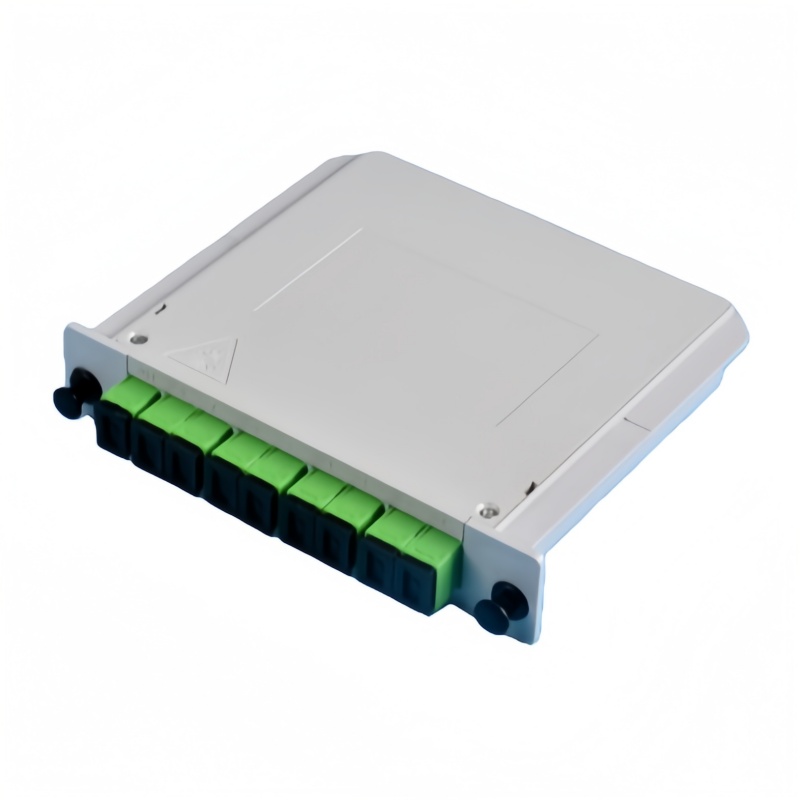
An SC APC connector is a type of fiber optic connector with:
- SC form factor:
- Square, push‑pull design
- “Snap-in” style with a locking mechanism
- Common in patch panels, ODFs, and customer premise equipment
- APC polish type (Angled Physical Contact):
- End-face is polished at an 8° angle (commonly)
- Minimizes back reflection by directing reflected light into the cladding rather than back into the core
- Typical color: green housing, which is the industry standard for APC connectors
2.2 SC APC vs SC UPC vs LC APC
Different connectors and polish types serve different purposes. Using the wrong type can degrade performance or cause incompatibility.
Table 1: Key Differences Between SC APC, SC UPC, and LC APC
| Attribute | SC APC | SC UPC | LC APC |
|---|---|---|---|
| Connector type | SC (square, push-pull) | SC (square, push-pull) | LC (small form factor, latch) |
| Polish type | APC (angled physical contact) | UPC (ultra physical contact) | APC (angled physical contact) |
| End-face angle | ~8° | 0° (flat with radius) | ~8° |
| Typical color | Green | Blue | Green |
| Typical use case | FTTx, PON, high RL applications | General purpose, LAN, data center | High-density PON, FTTx panels |
| Typical return loss | ≤ −60 dB (better RL) | ≤ −50 dB | Similar to SC APC |
| Insertion loss | ~0.2–0.3 dB (typical) | ~0.2–0.3 dB | ~0.2–0.3 dB |
| Mating compatibility | Only with APC adapters/connectors | Only with UPC adapters/connectors | Only with APC adapters/connectors |
Important: APC and UPC connectors must not be mixed. Mating an APC connector with a UPC connector can result in:
- Very high insertion loss
- Severe back reflection
- Potential damage to equipment (especially in high-power systems)
3. Typical Applications and Current Industry Context (2024–2025)
SC APC connectors remain widely used even as newer formats like LC and MPO/MTP gain popularity.
3.1 Common Application Scenarios
- FTTH / FTTx Networks:
Used in customer premise equipment (CPE), ONTs, and FTTH wall outlets for low reflection and high stability. - PON (GPON, XG-PON, XGS-PON):
Requires excellent return loss to protect OLT (Optical Line Terminal) optics and maintain high service quality. - Cable TV (CATV) and RF-over-fiber:
RF signals are highly sensitive to reflection; APC connectors help maintain signal integrity. - Metro and Access Networks:
Frequently used where network nodes require stable, low-reflection connections for long-term operation.
3.2 Recent Trends
As of 2024–2025:
- XGS-PON and 10G class FTTx deployments are growing. Many operators still rely on SC APC connectors for drop cables and CPE interfaces due to proven stability and compatibility with existing infrastructure.
- Return loss requirements are tightening. Specifications of ≤ −60 dB RL for APC connectors are common in new builds, particularly in higher-speed passive optical networks.
- Field-installable connectors are more widely adopted. Many manufacturers now offer no-epoxy, no-polish (NENP) SC APC connectors to reduce field installation time and training requirements.
4. SC APC Connector Structure and Components
Understanding each part helps ensure correct assembly and troubleshooting.
4.1 Main Components of an SC APC Connector
Typical SC APC connector kits include:
- Connector housing (green)
- Ferrule (zirconia ceramic, 2.5 mm)
- Crimp body / rear housing
- Boot (strain relief)
- Fiber holder / Kevlar clamp
- Dust cap
- Sometimes: pre-installed epoxy-filled ferrule (for epoxy/polish types)
Table 2: Typical Material and Dimensional Specifications (Reference Values)
| Component | Material | Typical Specification |
|---|---|---|
| Ferrule | Zirconia ceramic | 2.5 mm OD, ~10.5 mm length |
| Housing | Thermoplastic (e.g., PBT) | SC-type, green, flammability UL94V-0 |
| Boot | PVC or thermoplastic elastomer | Compatible with 2.0/3.0 mm cable |
| Crimp body | Metal (brass / stainless) | Sized for 2.0 or 3.0 mm jacket |
| Polish angle | N/A (polished ferrule) | Typically 8° (industry standard APC angle) |
| Operating temp | N/A | Often −40 °C to +75 °C (check datasheet) |
5. Tools and Materials Required
5.1 Basic Toolkit
For traditional epoxy-and-polish SC APC connectors, you will typically need:
- Fiber Jacket Stripper
- For removing outer jacket and primary coating.
- Kevlar Scissors
- For cutting aramid yarn (Kevlar).
- Fiber Cleaver
- High-precision cleaver to achieve a clean, flat cleave (important even for APC).
- Epoxy (if required)
- Heat-curing or room-temperature curing epoxy compatible with fiber optic connectors.
- Oven or Curing Station
- For heat-curing epoxy types.
- Polishing Films
- Multiple grits (e.g., 12 µm, 5 µm, 3 µm, 1 µm, 0.3 µm) and APC-specific polishing jig.
- Polishing Plate
- Glass or metal plate for consistent polishing surface.
- Microscope or Fiber Inspection Probe
- For inspecting end-face quality and cleanliness.
- Isopropyl Alcohol (≥99%) and Lint-Free Wipes
- For cleaning fiber and connector parts.
- Crimp Tool
- For securing the crimp body onto the fiber cable.
- Visual Fault Locator (VFL) / Light Source
- To check continuity and gross defects.
- OTDR or Optical Power Meter (OPM)
- For final testing of insertion loss and return loss.
5.2 For Field-Installable (No-Epoxy, No-Polish) SC APC Connectors
If using modern mechanical or field-installable SC APC connectors:
- Precision cleaver (still mandatory)
- Connector-specific assembly jig (often supplied)
- Fiber cleaning tools
- Possibly a small tool kit supplied by the connector vendor
These connectors significantly reduce installation time and remove the need for polishing films, epoxy, and curing ovens.
6. Fiber Preparation: Before Termination
Proper fiber preparation is critical for a reliable termination.
6.1 Safety First
- Always wear safety glasses.
- Use a fiber disposal bin for fiber scraps.
- Never touch fiber shards; they can penetrate skin and are difficult to remove.
6.2 Cable Preparation Steps
- Measure and mark the stripping length
- Typically:
- Outer jacket strip: ~30–40 mm (varies with connector kit)
- Buffer stripping length: ~15–20 mm (refer to manufacturer instructions).
- Typically:
- Strip the outer jacket
- Use the jacket stripper to remove the outer sheath to the required length.
- Expose the Kevlar yarn and inner buffer.
- Trim the Kevlar
- Leave enough length (~5–10 mm beyond the crimp point) for proper clamping.
- Strip the primary coating
- Strip the 250 µm coating down to 125 µm bare fiber for the specified length.
- Always strip in one smooth motion if possible to avoid micro-cracks.
- Clean the bare fiber
- Use lint-free wipes soaked in isopropyl alcohol.
- Wipe gently from the buffer toward the bare fiber in one direction only.
- Inspect the fiber
- Ensure no coating residue is left.
- Check for bends or visible cracks; if present, strip and prepare again.
7. SC APC Connector Termination: Step-by-Step Procedure
This section describes a generic epoxy-and-polish SC APC termination process. Always cross-check with the specific connector manufacturer’s instructions.
7.1 Step 1: Slide On Connector Components
Before inserting the fiber into the ferrule:
- Slide the boot onto the cable (narrow end first).
- Slide on the crimp sleeve or crimp body, if separate.
- Ensure all components are oriented correctly.
Skipping this step is one of the most common mistakes.
7.2 Step 2: Epoxy Application (If Applicable)
- Mix the epoxy
- Follow the manufacturer’s mixing instructions (two-part epoxy or pre-mixed cartridge).
- Load epoxy into syringe
- Use a fine needle tip suitable for ferrule insertion.
- Inject epoxy into the ferrule
- Insert the needle from the rear of the ferrule.
- Fill until a small bead of epoxy appears at the ferrule tip.
- Remove excess epoxy
- Wipe away extra epoxy from the ferrule tip with a lint-free wipe.
7.3 Step 3: Inserting the Fiber
- Align and insert fiber
- Gently feed the prepared bare fiber into the rear of the connector ferrule.
- Continue until the fiber protrudes from the ferrule tip.
- Verify full insertion
- Look for the fiber “sparkle” at the tip.
- Ensure the buffer is snugly inside the rear of the ferrule, leaving no slack.
- Secure the fiber
- Keep the fiber straight and avoid twisting.
7.4 Step 4: Crimping and Kevlar Management
- Fan out the Kevlar
- Distribute the Kevlar around the crimp area for maximum holding strength.
- Insert the cable into the crimp body
- Ensure the Kevlar is between the crimp body and cable jacket.
- Use the crimp tool
- Select the correct die size (e.g., 2.0 or 3.0 mm).
- Crimp firmly and evenly without crushing the cable.
- Check mechanical stability
- Lightly pull the cable to ensure it is firmly held by the crimp.
7.5 Step 5: Epoxy Curing
- Place the connector in curing oven
- Follow recommended temperature and time (e.g., 100–120 °C for 5–10 minutes; this varies by epoxy).
- Avoid movement during curing
- Keep the connector and cable stationary while epoxy cures.
- Allow to cool
- After curing, let the connector cool to room temperature before polishing.
7.6 Step 6: Fiber Cleaving at the Ferrule Tip
- Score the protruding fiber
- Use a fiber scribe near the ferrule tip (very gently).
- Break off the excess fiber
- Snap the fiber at the scored point using minimal force.
- Check for any chipped ferrule
- If ferrule edge is visibly damaged, replace the connector.
7.7 Step 7: APC Polishing Process
APC polishing is more sensitive than UPC because of the angle and stricter return loss requirements.
Typical APC Polishing Sequence
- Prepare the polishing jig
- Use an APC-specific SC polishing jig (angled holder).
- Insert the connector and ensure it locks securely.
- Use a polishing plate and films
- Place the polishing film on a flat polishing plate (glass or metal).
- Add a small amount of water to the film if recommended.
- Polishing steps (example sequence):
- Step 1: Coarse polish
- Film: 12 µm
- Pattern: Figure‑8 motion
- Passes: ~10–15 figure‑8s
- Purpose: Remove protruding fiber and rough shape.
- Step 2: Intermediate polish
- Film: 5 µm
- Passes: ~10–15 figure‑8s
- Purpose: Refine the end-face shape.
- Step 3: Fine polish
- Film: 3 µm
- Passes: ~10–15 figure‑8s
- Purpose: Improve surface finish.
- Step 4: Final polish
- Film: 1 µm or 0.3 µm
- Passes: ~20+ figure‑8s
- Purpose: Achieve mirror-like finish and optimal RL.
- Step 1: Coarse polish
- Clean between steps
- After each film, clean the ferrule tip with alcohol and lint-free wipes.
- Inspect with microscope
- Check for:
- No scratches crossing the core
- No pits, chips, or cracks
- No “undercut” or over-polish
- Check for:
- Repeat fine polishing if necessary
- If end-face isn’t perfect, perform additional passes on fine film.
8. Inspection and Cleaning
8.1 End-Face Inspection
Use a 200x–400x inspection microscope or a video inspection probe.
Look for:
- Centered core
- Clean, mirror-like surface
- No contamination (dust, oil, residue)
- Proper APC geometry (angle consistent as per jig)
8.2 Cleaning Methods
- Dry cleaning
- Use a fiber cleaning cassette or reel.
- Insert the connector tip and gently swipe across clean media.
- Wet-dry cleaning
- Apply a small amount of isopropyl alcohol to a lint-free wipe.
- Gently wipe the end-face, then follow with a dry wipe.
- Never blow with your mouth or use dirty cloth; it introduces moisture and particles.
9. Installation into Adapters, Patch Panels, and Enclosures
9.1 Adapter Alignment
- Ensure the adapter is APC type (usually green).
- Insert the SC APC connector straight into the adapter until it clicks.
- Avoid excessive force; the push‑pull latch should engage easily.
9.2 Cable Management and Strain Relief
- Use cable ties or Velcro straps to secure the cable.
- Maintain minimum bend radius:
- Typically ≥ 30 mm for standard single-mode fiber.
- Avoid tension on the connector; strain relief should be provided by the boot and cable anchoring.
10. Testing SC APC Terminations
Proper testing confirms that the termination meets network performance requirements.
10.1 Basic Continuity Check
- Use a Visual Fault Locator (VFL):
- Connect the VFL to the SC APC connector.
- Check for red light at the far end.
- Ensure no bright leaks at any point along the cable.
10.2 Insertion Loss and Return Loss Testing
- Use an Optical Power Meter (OPM) and Light Source, or an OTDR.
Typical values (as of 2024 industry practice):
- Insertion Loss (IL):
- SC APC typical IL: 0.2–0.3 dB
- Max specification: often ≤ 0.5 dB (check datasheet)
- Return Loss (RL):
- Standard SC APC: ≤ −60 dB or better
- For high-performance networks: some specifications target ≤ −65 dB
Table 3: Typical Performance Targets for SC APC Connectors
| Parameter | Typical Field Target | Common Spec Limit |
|---|---|---|
| Insertion Loss (IL) | 0.2–0.3 dB | ≤ 0.5 dB |
| Return Loss (RL) | ≤ −60 dB | ≤ −55 to −60 dB |
| Operating wavelength | 1310 / 1490 / 1550 / 1625 nm | As per system design |
| Repeatability | ±0.1 dB | ±0.2 dB |
11. Common Mistakes and Troubleshooting
11.1 High Insertion Loss
Possible causes:
- Poor cleave quality
- Contaminated end-face
- Incomplete epoxy curing
- Micro-bends near connector
- Excessive polishing (undercut)
Solutions:
- Re‑cleave fiber and re‑terminate if necessary.
- Clean end-face thoroughly and re‑test.
- Ensure proper curing time and temperature.
- Check for tight bends or pinched cable near connector.
11.2 Poor Return Loss (High Back Reflection)
Possible causes:
- Incorrect polishing angle (using UPC jig instead of APC)
- Incomplete or improper APC polishing sequence
- Dirty end-face or film residue
Solutions:
- Use the correct APC polishing jig and films.
- Re‑polish with fine APC film and re‑inspect.
- Clean end-face and re‑test.
11.3 Connector Damage
Signs:
- Chips or cracks in ferrule
- Scratches across core area
- Bent or broken latch
Remedy:
- Replace the connector (repair is not realistic in the field).
- Review handling procedures to avoid repetition.
12. Best Practices for Reliable SC APC Terminations
12.1 Process Consistency
- Use standardized work instructions in your team.
- Follow the same epoxy, curing, and polishing times.
- Train technicians on a single, consistent method.
12.2 Tool Maintenance
- Replace polishing films regularly.
- Calibrate cleavers and inspect cleave quality frequently.
- Keep inspection microscopes clean and aligned.
12.3 Cleanliness
- Work in a clean environment whenever possible.
- Store connectors in sealed bags or containers.
- Always use dust caps when connectors are not in use.
12.4 Documentation and Quality Control
- Record IL/RL results for each connector or link.
- Implement acceptance thresholds (e.g., IL < 0.5 dB, RL < −55 dB).
- Use OTDR traces as baseline references for future troubleshooting.
13. Field-Installable SC APC Connectors: A Faster Alternative
Many network operators now use field-installable / mechanical SC APC connectors for drop cables and customer installations.
13.1 Advantages
- No epoxy, no polishing on-site
- Faster installation (often 2–5 minutes per connector)
- Reduced training requirements
- Lower equipment investment (no curing oven or polishing tools)
13.2 General Installation Steps (Mechanical Type)
While designs differ between manufacturers, a typical process:
- Prepare the fiber (strip, clean, cleave).
- Open the connector housing.
- Insert the cleaved fiber into the mechanical splice chamber.
- Confirm fiber protrusion or visual mark (depending on design).
- Lock the internal clamp (often a lever or cam).
- Close housing and attach boot.
Note: IL and RL may be slightly higher than epoxy-and-polish connectors but are usually within acceptable FTTH or access network specs (e.g., IL ≤ 0.5–0.7 dB, RL ≤ −55 dB).
14. SEO-Optimized Summary for Readers and Search Engines
SC APC connectors are essential for high-performance fiber optic networks, particularly in FTTx, PON, and CATV applications where low return loss is critical. By following a structured, repeatable termination process—covering fiber preparation, epoxy application, polishing, inspection, and testing—you can achieve stable connections with:
- Typical insertion loss around 0.2–0.3 dB
- Return loss typically ≤ −60 dB
Key success factors include:
- Correct use of APC-specific jigs and polishing films
- Cleanliness and proper fiber handling
- Thorough end-face inspection and testing
For modern deployments, field-installable SC APC connectors offer a fast, convenient alternative to traditional epoxy-and-polish terminations, especially in last-mile and customer premise environments.
15. Professional Q&A: SC APC Connector Installation
Q1: What is the recommended return loss for SC APC connectors in modern FTTx networks?
Answer:
Most current FTTx and PON deployments target return loss of ≤ −60 dB for SC APC connectors, especially at 1490 nm and 1550 nm wavelengths commonly used in GPON and XGS‑PON. Some high-performance systems may specify ≤ −65 dB. Always check your operator or equipment vendor’s specific requirement, as exceeding the RL limit can affect laser stability and system noise performance.
Q2: Can I mix SC APC and SC UPC connectors in the same link?
Answer:
You must not mate SC APC and SC UPC connectors directly. Mating them:
- Produces very high insertion loss
- Causes significant back reflection
- Can potentially damage sensitive transceivers, especially in high-power or analog RF systems
However, you can have different segments of the network using APC or UPC, as long as each connector pair is correctly matched and the system design accounts for both types.
Q3: How critical is the cleave quality when installing SC APC connectors?
Answer:
Cleave quality is critical. A poor cleave can result in:
- Micro-cracks or fractures that increase insertion loss
- Non-uniform end-face geometry, which affects APC return loss
- A higher risk of fiber breakage inside the connector
Always use a high-precision cleaver, regularly maintain it, and inspect cleave results. If you see angled or jagged cleaves under a microscope, re‑cleave before inserting the fiber into the connector.
Q4: Are field-installable SC APC connectors as reliable as epoxy-and-polish types?
Answer:
Field-installable SC APC connectors are designed to meet most FTTx and access network requirements, with typical:
- IL: around 0.4–0.7 dB
- RL: typically ≤ −55 dB
While traditional epoxy-and-polish connectors often achieve slightly better IL and RL (e.g., IL ≈ 0.2 dB, RL ≤ −60 dB), field-installable connectors are generally sufficient and reliable for last-mile and customer access applications. For core or high-performance backbone segments, many operators still prefer epoxy-and-polish or factory-terminated assemblies.
Q5: What is the most common cause of SC APC connector failures in the field?
Answer:
The most common causes include:
- Contamination of the end-face (dust, oil, residue)
- Improper polishing, especially incorrect angle or insufficient fine polish
- Micro-bends or strain at the connector due to poor cable management
- Using the wrong connector type (UPC vs APC)
Most of these issues are preventable by enforcing strict cleaning procedures, inspecting every connector before mating, and following standardized termination workflows.
Q6: How often should SC APC connectors be inspected and cleaned?
Answer:
A good rule of thumb is: inspect and clean every time before mating. In practice:
- For data centers and central offices: inspect during installation and during any maintenance activity.
- For outdoor or FTTx deployments: inspect whenever connections are reconfigured, or when troubleshooting service issues.
Frequent cleaning helps prevent minor contamination from turning into serious performance problems, especially as bit rates and modulation formats continue to increase.