
1. Introduction: Why Use a Fast Connector for SC UPC Fiber?
SC UPC connectors are widely used in:
- FTTH (Fiber to the Home) drops
- Data centers and patch panels
- Enterprise networks and telecom closets
- ONU/ONT connections and equipment jumpers
Traditionally, terminating an SC connector required:
- Epoxy and curing ovens
- Polishing films and plates
- Precision polishing, inspection, and a fair amount of experience
Fast connector kits (also called “field‑installable connectors” or “no‑epoxy no‑polish connectors”) simplify this process. They come pre‑polished with a pre‑embedded fiber stub. The installer just:
- Prepares the field fiber
- Aligns and inserts it into the connector
- Locks it in place
This significantly reduces:
- Installation time
- Required tools
- Dependence on lab‑grade polishing
This guide explains step‑by‑step how to terminate an SC UPC fiber connector with a fast connector kit, while maintaining industry‑acceptable insertion loss and return loss.
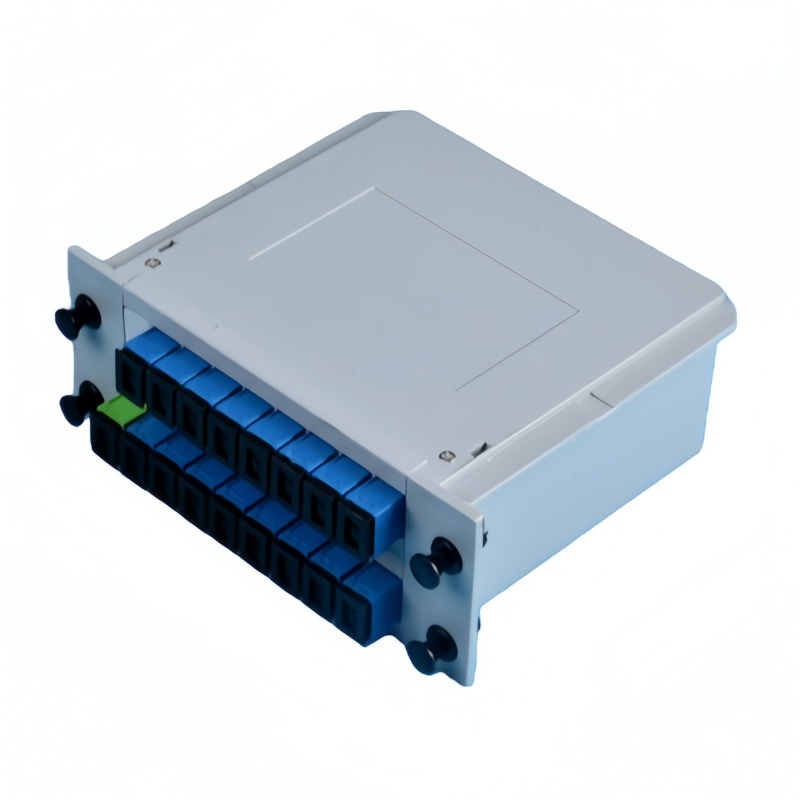
2. Understanding the SC UPC Fast Connector
2.1 What Is an SC UPC Connector?
- SC stands for Subscriber Connector or Square Connector.
- It’s a snap‑in, push‑pull connector with a rectangular housing.
- Common in single‑mode and multimode fiber applications.
UPC stands for Ultra Physical Contact:
- Ferrule end‑face is highly polished (but planar rather than angled).
- Provides low insertion loss and good return loss.
- Widely used in data networks and general telecom (where ultra‑low back reflection is not as critical as in some RF or high‑power applications).
2.2 What Is a Fast Connector Kit?
A fast connector kit typically includes:
- Pre‑polished SC UPC connectors with built‑in mechanical splice
- Cleaving tools (or recommended cleaver)
- Stripper(s) for 250 µm and 900 µm fiber coating
- Fiber cleaning tools (alcohol wipes, lint‑free tissues, etc.)
- Protection boots and dust caps
- Optional visual fault locator (VFL) or inspection aids
The connector itself contains:
- A pre‑embedded fiber stub with a perfectly polished UPC end face
- A mechanical splice mechanism (gel or index‑matching material)
- Clamping units to fix the incoming field fiber in place
3. Tools and Materials You Need
Even with a fast connector, you still need proper tools to guarantee low loss.
3.1 Essential Tools
- Fiber stripper (compatible with 250 µm coating and 900 µm tight buffer)
- Precision fiber cleaver (single‑fiber cleaver recommended)
- Fiber cleaning tools:
- 99% isopropyl alcohol
- Lint‑free wipes / Kimwipes
- Pre‑moistened fiber cleaning wipes (optional)
- SC UPC fast connector(s) (single‑mode or multimode as required)
- Cable jacket stripper (for drop cables or indoor fiber)
3.2 Recommended Test and Inspection Tools
- Visual Fault Locator (VFL) – to check continuity and bending stress
- Optical Power Meter & Light Source (or OLTS) – to measure insertion loss
- Fiber inspection microscope – to inspect the cleaved fiber end (if available)
3.3 Environmental Considerations
For consistent results:
- Work in a clean, dry environment
- Avoid windy or dusty areas
- Use a work mat to keep tools organized
- Dispose of fiber scraps safely (fiber disposal bin)
4. Safety Considerations
Fiber optic work involves:
- Invisible laser light (never look into live fiber!)
- Sharp fiber shards that can cause injury or get embedded in skin/eyes
Basic safety guidelines:
- Always turn off laser sources before handling fibers.
- Wear safety glasses when cleaving.
- Use a dedicated fiber disposal container for scraps.
- Never touch the end of the connector ferrule or fiber with bare fingers.
5. Fiber Preparation: The Foundation of a Good Termination
Poor fiber preparation is the number one cause of:
- High insertion loss
- Intermittent connections
- Early failure
Take your time on this step; it determines the success of the termination.
5.1 Identify Fiber Type and Cable Structure
Confirm:
- Single‑mode or multimode fiber?
- 250 µm bare fiber inside a 900 µm buffer?
- Indoor or outdoor drop cable with 2–3 mm jacket?
Most SC UPC fast connectors work with:
- Single‑mode G.652D or equivalent (for SM kits)
- 900 µm tight‑buffered fibers (for indoor termination)
- Some kits are designed for 2.0 mm / 3.0 mm jacketed cords
Always check the connector datasheet for compatible cable sizes.
5.2 Remove the Outer Jacket (If Needed)
For indoor cables:
- Measure the jacket strip length recommended by the connector instructions (e.g., 30–40 mm).
- Use a cable jacket stripper to remove the outer jacket.
- Expose the 900 µm tight buffer, strength members (e.g., aramid yarn), and any fillers.
- Trim strength members to the appropriate length if the connector uses them for strain relief.
5.3 Strip the 900 µm and 250 µm Coating
Next, expose the bare glass fiber:
- Use the fiber stripper to remove the 900 µm coating, leaving 250 µm coating over a certain length (per the connector instructions, often around 30 mm).
- Then strip the final section down to bare 125 µm glass (typically about 10–15 mm to be cleaved).
Tips:
- Make sure the stripper blades are clean and in good condition.
- Strip in one smooth motion to avoid micro cracks.
- Do not scrape the fiber with metal tools.
5.4 Clean the Bare Fiber
Contaminants can ruin the splice interface.
- Moisten a lint‑free wipe with 99% isopropyl alcohol.
- Gently wipe the bare fiber from coating toward the tip in a single motion.
- Do not rub back and forth.
- Allow the fiber to air dry for a few seconds.
6. Cleaving the Fiber Correctly
The cleave is absolutely critical in a fast connector termination. A bad cleave leads to:
- Air gaps
- High insertion loss
- Poor return loss
- Unstable connection over time
6.1 Setting the Cleave Length
- Most SC fast connector kits specify an exact cleave length (e.g., 10 mm from the end of the 250 µm coating to the bare fiber tip).
- Use the cleaver’s length scale or fiber holder to match this requirement.
Always refer to the fast connector instruction sheet for:
- Required bare fiber length
- Allowable cleave angle (often < 0.5° for best performance)
6.2 Using a Precision Cleaver
- Place the prepared fiber into the cleaver’s holder or v‑groove.
- Align the coating edge with the cleave length mark.
- Close the clamp gently but firmly.
- Operate the cleaver according to its design (typically a lever action).
- Open the clamp and carefully remove the cleaved fiber without touching the tip.
If you have a fiber microscope:
- Inspect the cleaved end face.
- Look for smooth, flat surface with no chips, angle, or hackles.
7. Preparing the SC UPC Fast Connector
Now, prepare the connector itself.
7.1 Identify Connector Parts
A typical SC UPC fast connector includes:
- Connector body with SC housing
- Internal pre‑polished ferrule and fiber stub
- Mechanical splice mechanism (V‑groove or alignment tube)
- Rear boot and strain relief
- Fiber clamping unit (often push‑down or slide‑lock)
- Dust cap on the ferrule end
7.2 Open the Mechanical Splice Mechanism
Before inserting the fiber:
- Ensure the clamp and splice mechanism are in the open position.
- Some connectors have a slide lever; others have a flip‑top or push button to lock.
- Consult the kit’s quick reference card.
Do not touch the ferrule end face; keep the dust cap on until the end of the process.
8. Inserting the Fiber into the Fast Connector
This is where skill and steady hands matter.
8.1 Aligning the Fiber
- Hold the fiber so that it stays straight and aligned with the connector entry point.
- Gently guide the cleaved fiber tip into the connector’s fiber hole or V‑groove guide.
- Avoid bending or forcing the fiber.
8.2 Monitoring Fiber Position
As you push the fiber:
- Some fast connectors have a transparent window where you can see the fiber reaching the splice point.
- You may see a slight fiber buckle or movement in a viewing window, which indicates proper insertion.
Do not over‑insert to avoid breaking the internal stub.
9. Locking the Splice and Securing the Fiber
Once insertion is correct, you need to lock the fiber into place.
9.1 Activating the Mechanical Splice
Depending on the design:
- Push down a locking tab
- Slide a locking sleeve into place
- Flip a clamp cover to close
This action brings the field fiber into firm contact with the pre‑embedded stub (often using a gel or index‑matching material).
9.2 Securing Strain Relief and Boot
- Gently pull back on the fiber to confirm it’s held securely.
- If applicable, align and insert any strength members into their crimp points.
- Slide the rear boot up over the fiber and onto the connector body.
- Ensure the boot is fully seated to provide strain relief and protect the fiber.
9.3 Final Visual Check
- Ensure no coating has slipped into the splice zone beyond the recommended length.
- Confirm that all locking mechanisms are fully engaged.
- Make sure the fiber is not under axial tension or sharp bends.
10. Testing the Terminated SC UPC fast Connector
Proper testing is essential to verify the quality of your termination.
10.1 Visual Fault Locator (VFL) Test
A VFL can quickly check:
- Continuity
- Macrobends or severe microbends near the connector
- Mechanical stress or partial breaks
Steps:
- Attach the VFL to the SC UPC connector after removing the dust cap.
- Turn on the VFL (steady or modulated light).
- Observe the fiber route; excessive red glow near the connector body can indicate a stress point.
10.2 Insertion Loss (IL) and Return Loss (RL) Testing
For quantitative performance:
- Use an Optical Loss Test Set (OLTS) or
- A light source + power meter with reference cords.
Typical target values (single‑mode SC UPC fast connector, indicative):
- Insertion Loss: typically ≤ 0.5 dB (many vendors list 0.3–0.5 dB typical, 0.8–1.0 dB max)
- Return Loss: typically ≥ 45 dB for UPC (higher is better)
Consult your connector manufacturer’s datasheet for exact specs.
Table 1 – Typical Performance Targets for SC UPC Fast Connectors (Field Terminated)
| Parameter | Typical Value Range (Single‑mode) | Notes |
|---|---|---|
| Insertion Loss (IL) | 0.3–0.5 dB typical, ≤ 0.8–1.0 dB max | Depends on cleave quality & connector design |
| Return Loss (RL) | ≥ 45 dB | UPC polish; APC connectors typically higher (≥ 60 dB) |
| Repeatability | ±0.2 dB | Variation across multiple reconnects |
(Values are indicative; always compare with manufacturer specifications.)
11. Common Mistakes and Troubleshooting
Even experienced technicians sometimes encounter high loss or unstable connections. Below are frequent issues and how to deal with them.
11.1 Common Mistakes
- Poor cleave quality
- Rough, angled, or chipped fiber end‑face.
- Solution: Re‑cleave using a well‑maintained cleaver.
- Dirty fiber or connector
- Contamination on the bare fiber or in the splice region.
- Solution: Clean fiber appropriately; avoid touching the pre‑polished ferrule.
- Incorrect strip length / cleave length
- Coating entering the splice zone or fiber too short.
- Solution: Re‑strip and re‑cleave according to the recommended lengths.
- Insufficient insertion depth
- Field fiber not fully contacting the internal stub.
- Solution: Ensure gentle but complete insertion; watch the reference mark or window.
- Excessive bending or stress at the connector
- Tight cable bends pulling on the fiber.
- Solution: Maintain proper bend radius (typically ≥ 30 mm for standard SM fibers).
11.2 Troubleshooting Table
Table 2 – Fast Connector Termination Troubleshooting Guide
| Symptom | Likely Cause | Recommended Action |
|---|---|---|
| High insertion loss (IL > 1 dB) | Poor cleave, contamination, incomplete insertion | Re‑strip, clean, re‑cleave; re‑terminate if needed |
| Intermittent connection / flickering | Fiber not firmly locked, cable under strain | Check locking tab; relieve stress; re‑terminate if necessary |
| Very low or no VFL light at output | Fiber break, improper insertion | Inspect cable; re‑terminate connector |
| Visible red light leakage at connector | Bending stress or damaged connector body | Check routing; replace connector if casing damaged |
| Return loss lower than spec | End‑face contamination, air gap | Clean, re‑terminate, and re‑test |
12. Best Practices for Reliable SC UPC Fast Connector Terminations
To ensure consistent, high‑quality terminations:
- Use a high‑quality cleaver and maintain it (clean blade, proper rotation or replacement on schedule).
- Follow manufacturer strip and cleave lengths precisely.
- Keep your work area clean; avoid fibers falling onto dusty surfaces.
- Always clean fibers and connectors before assembly and before testing.
- Validate the first few terminations with IL/RL measurements before scaling up.
- Store terminated connectors with dust caps on when not in use.
- Train technicians and certify them where possible.
13. Choosing the Right SC UPC Fast Connector Kit
Not all kits are equal. Factors to consider:
13.1 Fiber and Cable Compatibility
- Single‑mode vs. multimode
- 250 µm vs. 900 µm vs. 2.0/3.0 mm cable
- Indoor vs. outdoor drop cable support
13.2 Performance and Reliability Ratings
Check datasheets for:
- Typical and maximum insertion loss
- Return loss
- Operating temperature range
- Number of matings (durability)
13.3 Ease of Use and Tooling
- Is a dedicated cleaver or holder required?
- Does the connector have intuitive indicators or windows?
- Are clear instructions and diagrams provided?
13.4 Cost vs. Labor Savings
While fast connectors often cost more per unit than factory‑terminated patch cords or epoxy‑polish connectors, they can save substantial time and labor on:
- FTTH field installs
- Retrofits and emergency restorations
- Projects where running factory‑terminated cables is difficult
Table 3 – High‑Level Comparison: Fast Connector vs. Traditional Epoxy & Polish
| Aspect | Fast Connector (Field Install) | Traditional Epoxy & Polish |
|---|---|---|
| Tools required | Stripper, cleaver, basic kit | Stripper, cleaver, epoxy, curing oven, polishing tools |
| Training level | Moderate | Higher; requires polishing skills |
| Installation speed | Fast (minutes per connector) | Slower (more process steps) |
| End‑face quality control | Pre‑polished stub, factory controlled | Depends heavily on technician skill |
| Best suited for | FTTH, rapid field deployment, small jobs | Mass termination in controlled environments |
14. SEO Tips If You’re Publishing This Guide as a Blog
Since you asked for SEO‑optimized content, here are quick optimization angles:
- Use the main keyword in:
- Title: “How to Terminate an SC UPC Fiber Connector with a Fast Connector Kit”
- First paragraph and one H2 heading
- URL slug (e.g.,
/terminate-sc-upc-fiber-fast-connector)
- Include related keywords:
- “field termination SC UPC”
- “fast fiber connector step by step”
- “SC UPC vs SC APC termination”
- Add internal links:
- To product pages for SC UPC fast connectors
- To guides on SC APC, LC, or MPO connectors
- To fiber testing and inspection tutorials
- Add schema (FAQPage) for the Q&A section at the end.
Professional FAQ: SC UPC Fast Connector Termination
Q1. What is an acceptable insertion loss for a field‑terminated SC UPC fast connector?
Answer:
For most single‑mode SC UPC fast connectors, a typical insertion loss is around 0.3–0.5 dB, with a maximum specified by the manufacturer often around 0.8–1.0 dB. For critical links or long‑haul applications, aim for the lower end of this range and verify with proper test equipment.
Q2. How does SC UPC differ from SC APC when using fast connectors?
Answer:
- SC UPC: Flat (but ultra‑polished) end face, typical return loss around ≥ 45 dB. Used in data networks, general telecom, and systems where back reflection is less critical.
- SC APC: Angled end face (usually 8°), higher return loss (often ≥ 60 dB), used in RF overlay, FTTx, and systems sensitive to reflections.
When terminating with fast connectors, the core process is similar, but APC connectors require strict angle control and are more sensitive to minor contamination or poor cleaving.
Q3. Can I reuse an SC UPC fast connector if the first termination fails?
Answer:
Most fast connectors are designed as single‑use components. Once the mechanical splice gel and clamping have been engaged, removing and reinserting a new fiber can degrade performance and reliability. Some manufacturers offer “re‑openable” designs, but even then, performance may not match that of a fresh connector. For critical links, it is best practice to use a new connector.
Q4. Do I still need a high‑quality cleaver if I’m using a no‑polish fast connector?
Answer:
Yes. Fast connectors eliminate the need for polishing, but they do not eliminate the need for a precise cleave. The mechanical splice at the heart of these connectors depends on a clean, flat, low‑angle fiber end face. A poor cleave will cause high loss and unstable performance regardless of the connector design.
Q5. Is a visual fault locator (VFL) mandatory when terminating SC UPC fast connectors?
Answer:
A VFL is not strictly mandatory, but it is strongly recommended. It helps:
- Quickly verify fiber continuity
- Detect sharp bends or breaks near the connector
- Identify stress points where the fiber might be pinched
For professional installations, a VFL plus a power meter/light source or OLTS should be considered part of the standard toolkit.
Q6. How long does it typically take to terminate an SC UPC fast connector in the field?
Answer:
For a trained technician with proper tools:
- A single termination can often be completed in 3–5 minutes, including strip, clean, cleave, insert, and lock steps.
- With practice and a well‑organized workflow, multi‑connector jobs (e.g., patch panels) can be done very efficiently.
This is significantly faster than the traditional epoxy‑and‑polish process, especially in non‑lab field environments.